
Guide · Updated
Bitaxe & NerdQaxe temperatures: safe ranges, overheat mode and what to check
How hot is too hot for a Bitaxe or NerdQaxe, what the firmware does when it overheats, and what to check first. Every number here comes from the miner firmware source code or the Open Source Miners United (OSMU) wiki, linked under Sources.
The short answer
- Recommended for a Bitaxe: the OSMU wiki says to keep the ASIC below 70°C and the voltage regulator (VR) below 90°C.
- Bitaxe Gamma 601/602 cutoff: the firmware stops mining when the ASIC goes above 75°C or the VR goes above 105°C.
- NerdQaxe+/++ cutoff: the firmware shuts the ASICs down at 70°C by default, for the ASIC and for the VR. You can change it in settings (50–90°C).
Temperature limits at a glance
| Bitaxe Gamma 601/602 | NerdQaxe+/++ | |
|---|---|---|
| Recommended (OSMU wiki) | ASIC below 70°C, VR below 90°C | No separate figure published |
| Warning in the dashboard | “Danger: High Temperature” at ASIC 70°C or VR 105°C | — |
| Firmware overheat cutoff | ASIC above 75°C or VR above 105°C | 70°C by default (ASIC and VR), adjustable 50–90°C |
| After a cutoff | Cools down, then restarts with lower voltage and frequency; fan stays at 100% | Fan to 100%, ASIC voltage off, error on screen |
| Default fan mode | Auto, targeting 60°C ASIC | Depends on board and firmware (see below) |
Checked against the Bitaxe firmware (ESP-Miner) v2.15.3 and the NerdQaxe firmware v1.1.0.1 on October 3, 2026. Older firmware can behave differently.
Where to read your temperatures
On a Bitaxe, the AxeOS dashboard shows ASIC Temperature (two readings on boards with a second sensor) and Voltage Regulator Temperature. Watch both: the VR is a separate part on the board with its own limit, and it can run hot even when the ASIC looks fine.
For logging or scripts, both firmwares report the same readings at /api/system/info: temp for the ASIC and vrTemp for the voltage regulator. Bitaxe adds temp2 for the second ASIC sensor and overheat_mode.
What happens when a Bitaxe overheats
On current ESP-Miner firmware, when the ASIC goes above 75°C or the VR above 105°C:
- The miner logs “OVERHEAT!”, turns auto fan control off and sets the fan to 100%.
- It stops mining and holds the ASIC in reset. The dashboard shows “Device has overheated - See settings”.
- It waits at least 30 seconds and until the VR is back below 95°C (and, on boards with an internal sensor, until the ASIC is below 45°C).
- It restarts with the last saved settings minus 100 mV and minus 100 MHz.
The fan stays at 100% and auto fan stays off after the restart. Once you’ve fixed the cause, set your frequency and voltage back where you want them and turn auto fan on again in Settings. The firmware asks you to reset frequency and voltage before you use the “Disable Overheat Mode” button. Older guides say overheat mode always needs a manual reset; that was older firmware.
What happens when a NerdQaxe overheats
On the NerdQaxe+ and NerdQaxe++ firmware, when the ASIC or the VR goes past the overheat temperature (70°C unless you’ve changed it), the fan for that channel goes to 100%, the ASIC voltage is shut off, and the screen shows “MINER OVERHEATED” or “VREG OVERHEATED”. We found no automatic restart in the firmware code, so fix the cause, then restart the miner.
How the auto fan works
On a Bitaxe, auto fan is on by default and aims to hold the ASIC at a target temperature: 60°C by default, settable from 35 to 66°C, with a minimum fan speed of 25%. It follows the ASIC temperature only; the VR temperature doesn’t speed the fan up. Set a manual fan speed below 33% and AxeOS warns “Danger: Could Cause Overheating”.
On a NerdQaxe+, the PID fan mode targets 55°C on the ASIC and 65°C on the VR. The NerdQaxe++ rev7 targets 65°C on the ASIC and uses PID mode unless you’ve saved a fan setting. Other NerdQaxe builds default to a manual fan at 100%.
Running hot? Check these in order
- The fan is running. The Bitaxe Gamma needs active cooling: “the heatsink alone is not enough.” The board takes a 4-pin, 5V PWM 40mm fan; a 12V fan spins too slowly and the Bitaxe overheats.
- Fan settings. Leave auto fan on, or keep a manual speed at 33% or above. After an overheat, turn auto fan back on (see above).
- Power. OSMU says the input voltage should be 4.8–5.3V.
- Thermal paste. The Bitaxe Gamma readme says to use a good-quality thermal compound between the heatsink and the ASIC. Repasting is part of any heatsink swap.
- Room temperature. OSMU suggests leaving a safety margin for changes in ambient temperature: a setup that’s fine in winter can overheat in summer.
- Overclock settings. Higher frequency and voltage mean more heat. OSMU recommends upgrading the heatsink and thermal paste before you overclock.
- The heatsink. The Gamma readme notes that it’s “much easier to overheat, especially when using the stock heatsink and fan.” A bigger cooler is the next step up.
Bigger coolers for your miner
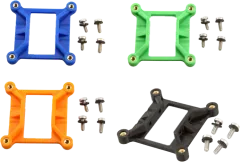
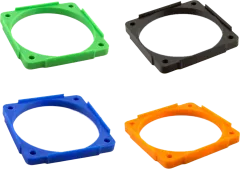
NerdRoots adapters mount Raspberry Pi tower, low-profile and radiator coolers on the Bitaxe Gamma 601/602, and a 120mm fan on the NerdQaxe+/++ heatsink. We haven’t published our own temperature measurements yet, so this page makes no claims about how much cooler each one runs. The compatibility chart shows which cooler fits which miner.
Parts for Bitaxe Gamma 601/602
7 parts
-
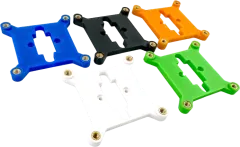 Best sellerBitaxe 52Pi ICE Tower Heatsink Adapter$9.99
 -
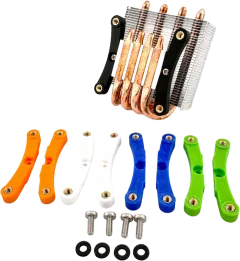 $9.49
$9.49 -
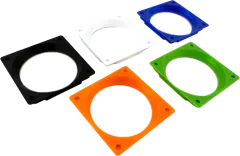 $9.99
$9.99 -
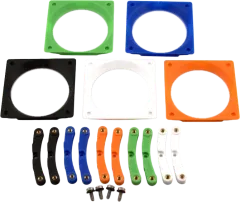 $15.99
 -
 $9.99
$9.99 -
 $9.99
$9.99 -
 $15.99
Parts for NerdQaxe+/++
1 part
-
 $17.99
Sources
- Bitaxe firmware: bitaxeorg/ESP-Miner (overheat thresholds and recovery in
main/tasks/power_management_task.c; fan control inmain/tasks/fan_controller_task.c; defaults inmain/nvs_config.c). - NerdQaxe firmware: shufps/ESP-Miner-NerdQAxePlus (overheat default in
main/Kconfig.projbuild; shutdown inmain/tasks/power_management_task.cpp; fan targets inmain/boards/). - OSMU wiki FAQ, “What are the safe operating ranges?”: osmu.wiki/tips/faq.
- Bitaxe Gamma hardware readme (fan, cooling and thermal compound): bitaxeorg/bitaxeGamma.
Questions?
Send us a message and we’ll reply, usually within one business day.