
Guide · Updated
How to cool a Bitaxe: cooling upgrades and mods, from free to overclock-ready
Six ways to run a Bitaxe Gamma 601 or 602 cooler, from free to the biggest change, plus the mistakes to avoid. Every number is credited to whoever measured or claimed it, and we say when that source sells the product. Links are under Sources.
The short answer
- Give it air: stand it up, in the open, in a cool room.
- Re-paste the chip with good thermal paste.
- Check your settings: extra voltage is what makes the heat.
- Swap to a better 5V fan for less noise.
- Cool the voltage regulator (VR) on the back of the board. It usually overheats before the chip does.
- Fit a bigger heatsink or cooler if you want to overclock.
- Avoid the mistakes that make it worse.
First, watch both temperatures
AxeOS shows two temperatures, and both matter:
- ASIC: the mining chip, under the heatsink and fan. The OSMU wiki recommends keeping it below 70°C. The firmware stops mining above 75°C.
- VR (voltage regulator): a TI TPS546D24A on the other side of the board from the chip and fan, according to the Gamma’s design files. OSMU recommends below 90°C. The firmware stops mining above 105°C.
AxeOS’s automatic fan control follows the ASIC temperature only. The VR can climb while the fan looks relaxed, so check it yourself when you change settings. More in our temperature guide.
1. Give it air (free)
The Gamma’s own readme is blunt: “You must have active cooling on the bitaxe. The heatsink alone is not enough.” After that, placement is the cheapest win:
- Stand it up. The readme says “You’re going to want a stand to mount your Bitaxe.” A stand lets air reach both sides of the board, including the VR on the back. D-Central, which sells a stand, reports 3–5°C lower board temperatures than lying flat.
- Keep it out of cabinets and shelves. D-Central and bitaxe.de both warn that closed shelves, hot rooms and shrouds that recirculate exhaust push temperatures up.
- Mind the room. Room temperature adds almost directly to chip temperature: D-Central’s example is a chip about 10°C hotter in a 30°C room than in a 20°C one. OSMU advises keeping a safety margin for warm days.
- Add a breeze. Electrical_Grade, an independent tester, added a laptop cooling pad and a 120mm fan beside the board after re-pasting and saw the ASIC settle at 47–50°C, about 1–2°C better.
- Keep it clean. Blow dust out with compressed air, holding the fan blades still while you do.
2. Re-paste the chip (a few dollars)
The official readme says to “use a good quality thermal compound between the heatsink and ASIC. Thermal Grizzly Kryonaut has been known to work well.” What ships on a new board varies by seller, and some arrive uneven or dry.
- Measured result: Electrical_Grade swapped the stock paste for Arctic MX-4 and saw the ASIC go from about 62°C to 49–51°C, with no other changes, no overclock, in a mid-20s °C room.
- Vendor claims: Solo Satoshi, which sells Kryonaut Extreme, says it “alone drops temperatures 5-10 degrees C”. D-Central says a poor application “can cost you 5-10°C”.
- How: clean both surfaces with 90%+ isopropyl alcohol (not 70% rubbing alcohol, which leaves residue), apply a small dot to the center of the chip, and refit the heatsink evenly without over-tightening.
- Don’t use liquid metal. Thermal Grizzly says Conductonaut “must not be used with aluminium coolers” and is electrically conductive.
3. Check your settings (free)
Bitaxe Gamma defaults are 525 MHz at 1150 mV. More frequency means more heat, but extra voltage costs far more. Solo Satoshi’s bench of a Gamma 602 shows it:
| Frequency / voltage | Hashrate | Power | Efficiency | ASIC | VR |
|---|---|---|---|---|---|
| 525 MHz / 1150 mV (stock) | 1.07 TH/s | 17.8 W | 16.6 J/TH | 49.3°C | 57°C |
| 600 MHz / 1150 mV | 1.22 TH/s | 20.1 W | 16.5 J/TH | 51.4°C | 62°C |
| 625 MHz / 1250 mV | 1.27 TH/s | 25.2 W | 19.8 J/TH | 56.1°C | 71°C |
| 800 MHz / 1250 mV | 1.63 TH/s | 32.2 W | 19.8 J/TH | 62.4°C | 94°C |
Two things stand out. Going from 525 to 600 MHz at the same voltage kept efficiency flat, while the +100 mV step added 25% more power for about 4% more hashrate. And at 800 MHz the VR reached 94°C while the chip sat at 62.4°C. Solo Satoshi calls the VR “the real bottleneck, not the ASIC itself.”
For a cooler, quieter Bitaxe, bitaxe.de (a seller) suggests 490 MHz at 1100 mV: just under 7% less hashrate for about 15% less power. Don’t go below 1000 mV; bitaxe.de notes the VR then reports a power fault.
4. Swap to a better fan
The Gamma takes a 4-pin 5V PWM fan. The readme warns: “Make sure to get a 5V fan! 12V spin, but slowly overheating your Bitaxe.” Noctua’s 40mm 5V PWM fans are the common choice:
| Fan | Size | Speed | Airflow | Noise |
|---|---|---|---|---|
| NF-A4x10 5V PWM | 40 × 40 × 10mm | 5000 RPM | 8.9 m³/h | 19.6 dB(A) |
| NF-A4x20 5V PWM | 40 × 40 × 20mm | 5000 RPM | 9.4 m³/h | 14.9 dB(A) |
draeger-it measured a Gamma 601’s stock fan at 41.8 dB from 5 cm and the NF-A4x20 at 30 dB, which was also the room’s background level. In AxeOS, auto fan aims for a 60°C chip by default (settable 35–66°C) with a 25% minimum. A plain fan swap doesn’t need new paste unless the heatsink moved.
5. Cool the voltage regulator (the overclocker’s limit)
Because the VR sits on the back of the board, the main fan barely reaches it. Ways to help it, best evidence first:
- A clamp-on VR heatsink with a thermal pad. PlebBase (affiliate links) tested a Gamma at 625 MHz: VR 50°C with no VR cooler, 42°C with a small screw-mounted aluminum heatsink. The highest stable clock rose from 702 MHz to about 752–783 MHz.
- Air across the back of the board. Solo Satoshi advises “direct airflow across PCB backside”. Christan Workshop mounted a spare fan on the back to cool the VR.
- Stick-on copper heatsinks, with care. Solo Satoshi and D-Central (both sellers) claim 10–15°C, without before-and-after data. PlebBase found adhesive pads can act as insulation and stick-on sets often fall off. Never let a heatsink touch two contacts; bitaxe.de warns of short circuits.
- Less voltage (step 3) cools the VR more than anything else.
6. Fit a bigger heatsink or cooler
The stock Gamma uses a 40 × 40mm heatsink with a 5V fan. Bigger options:
- Drop-in Bitaxe heatsinks. Solo Satoshi’s 40 × 40 × 25mm pin-fin heatsink claims 7–10°C lower than stock; D-Central’s claims 8–12°C. Both are the sellers’ own figures.
- Raspberry Pi coolers on an adapter. These bring heat pipes and bigger fans, made for the same 5V fan power the Bitaxe supplies:
- 52Pi ICE Tower: a tower with copper heat pipes and a 40mm fan rated 0.4 W at 5V. Christan Workshop combined one with Kryonaut, a Noctua fan and VR heatsinks: at 575 MHz the board went from 61.9/55°C to 56.8/49°C.
- GeeekPi Low-Profile Plus: four heat pipes and a 54 × 50mm fan at 5000 RPM, 54 × 50 × 49mm overall. PlebBase used it in its high-overclock reference build, alongside many other mods.
- Argon THRML 60mm: a copper heat-pipe radiator with a 60mm PWM blower, rated 18.13 CFM at 5000 RPM. We found no published Bitaxe test yet.
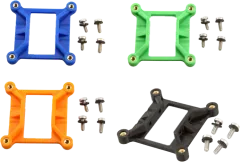
Each needs an adapter to mount on the Gamma’s heatsink holes. Ours are below, and the compatibility chart shows what fits which miner. We’re running all three side by side against the stock heatsink and will publish every result.
Cooler adapters for Bitaxe Gamma 601/602
7 parts
-
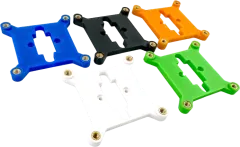 Best sellerBitaxe 52Pi ICE Tower Heatsink Adapter$9.99
 -
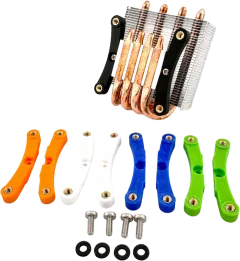 $9.49
$9.49 -
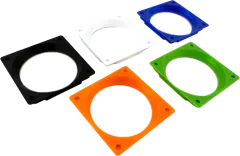 $9.99
$9.99 -
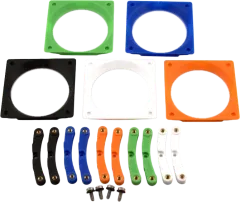 $15.99
 -
 $9.99
$9.99 -
 $9.99
$9.99 -
 $15.99
7. Mistakes that make it worse
- A 12V fan on the Bitaxe’s 5V header (it spins slowly and the board overheats).
- No fan at all: the heatsink alone isn’t enough.
- Liquid metal on an aluminum heatsink, or anywhere near the board’s small parts.
- Stick-on heatsinks that bridge pads or sit on capacitors, inductors or connectors.
- Trusting auto fan to protect the VR. It only watches the chip.
- Overclocking before you’ve upgraded cooling. OSMU says to “upgrade your heatsink and thermal paste before attempting overclocking.”
- A closed shelf, a sunny window or a shroud that blows exhaust back in.
- Over-tightening the heatsink, which D-Central warns can crack the chip’s solder joints.
Sources
- Official: Bitaxe Gamma readme and design files, ESP-Miner firmware, OSMU wiki FAQ.
- Independent tests: Electrical_Grade, Christan Workshop, draeger-it, PlebBase (affiliate links).
- Sellers’ guides: Solo Satoshi overclocking guide, Solo Satoshi maintenance, D-Central cooling guide, bitaxe.de.
- Manufacturers: Noctua NF-A4x10 5V PWM and NF-A4x20 5V PWM, 52Pi Low-Profile Plus, 52Pi ICE Tower, Argon THRML, Thermal Grizzly Conductonaut.
Questions?
Send us your miner and setup, and we’ll reply, usually within one business day.