
Guide · Updated
Bitaxe fan size, voltage and the quiet Noctua upgrade
Which fan a Bitaxe Gamma 601 or 602 takes, how to make it quieter without cooking it, and how AxeOS runs the fan. Fan facts come from the Gamma’s design files and the ESP-Miner firmware (v2.15.4). Every measurement is credited, and we say when the source sells fans. Links are under Sources.
The short answer
- Size: 40 × 40mm. 10mm or 20mm thick both fit; the official readme says 20mm-thick fans “work nicely”.
- Voltage: 5V only. A 12V fan spins too slowly and the Bitaxe overheats.
- Connector: 4-pin PWM. The board has two fan sockets wired together: a standard PC fan header and a tiny JST SH socket.
- Quiet upgrade: Noctua’s NF-A4x10 5V PWM (the one the official readme suggests) or NF-A4x20 5V PWM. Buy the “5V PWM” model; the same names are also sold as 12V and non-PWM fans.
- The catch: quieter fans move less air. Leave auto fan on and watch the VR temperature after a swap.
Which fan your Bitaxe takes
The Gamma’s readme puts it plainly: “The Bitaxe has a connector for a 4pin, 5V PWM fan. 40mm square, 20mm thick fans work nicely with the suggested heatsink. Make sure to get a 5V fan!” The same readme is unimpressed with the fans that ship on most boards, and suggests the Noctua NF-A4x10 5V for “a much more pleasant experience.”
The Gamma’s design files show two fan sockets wired in parallel, with the same four pins:
| Pin | Signal |
|---|---|
| 1 | Ground |
| 2 | 5V |
| 3 | Tachometer (speed reading) |
| 4 | PWM (speed control) |
- The 2.54mm header is the standard 4-pin PC fan style, so a normal 4-pin PWM fan plugs straight in.
- The 1.0mm JST SH socket is the small one. bitaxe.de, a seller, notes that some boards ship with the stock fan on the JST socket and the PC-style header not fitted, which means soldering before a standard fan will plug in. Check your board before you order.
5V vs 12V
Both fan sockets carry 5V. A 12V fan will turn on, but as the readme warns, it will “spin, but slowly overheating your Bitaxe.” The reverse mistake breaks the fan: Noctua’s datasheets say its 5V fans “cannot be run at 12V and will be damaged” on 12V sources such as PC motherboard headers. So don’t test a 5V fan on a PC.
The quiet upgrade: Noctua 40mm 5V PWM fans
| Fan | Size | Max speed | Airflow | Pressure | Rated noise | Power |
|---|---|---|---|---|---|---|
| NF-A4x10 5V PWM | 40 × 40 × 10mm | 5000 RPM | 8.9 m³/h (5.2 CFM) | 1.95 mmH₂O | 19.6 dB(A) | 0.35 W |
| NF-A4x20 5V PWM | 40 × 40 × 20mm | 5000 RPM | 9.4 m³/h (5.5 CFM) | 2.26 mmH₂O | 14.9 dB(A) | 0.5 W |
Noctua says the thicker NF-A4x20 builds more static pressure, which helps push air through dense heatsink fins. It’s also the quieter of the two on paper. The NF-A4x10 is the one the Gamma readme names.
Buy the right model. Both names are also sold as 12V “PWM” fans and as 5V 3-pin fans without speed control. On the box you want 5V and PWM together. draeger-it, which tested the swap, gives the same warning.
How loud is a Bitaxe?
The one independent measurement we found is from draeger-it, on a Gamma 601 with a sound meter 5 cm from the board:
| Fan | Measured |
|---|---|
| Stock fan, about 5200 RPM | 41.8 dB |
| Noctua NF-A4x20 5V PWM | 30 dB |
30 dB was also the lowest reading the meter could show, so the Noctua may be quieter still. The post says the chip temperature stayed stable after the swap but doesn’t give a number. 5 cm is very close, so in a room the difference you hear will be smaller than the numbers, but the drop is large.
Quieter or cooler: the trade-off
A quiet 40mm fan moves less air than a fast stock fan, and both sellers who stock fans say so:
- bitaxe.de: the Noctua “moves somewhat less air than the stock fan,” and auto fan “compensates by letting it spin a little faster.”
- Solo Satoshi says its own stock-style 40mm fan pushes 9 CFM at 7,500 RPM, and that Noctuas move “roughly half the air,” adding that for overclocking “air volume is more important than noise.” Noctua’s datasheets put its two fans at 5.2 and 5.5 CFM.
At stock settings that’s usually fine: auto fan speeds the Noctua up until the chip is back at target. If you overclock, the better way to get quiet and cool is more heatsink, so the fan can run slower. Bigger coolers on an adapter take bigger fans, which move more air at lower speed:
- GeeekPi Low-Profile Plus: our fan adapter lets you swap its stock fan for a 60mm Noctua A6 or similar.
- Argon THRML 60mm: our fan adapter takes a 60mm fan in place of the stock Argon fan.
Whatever the size, the fan still runs from the Bitaxe’s 5V socket, so it must be a 5V PWM model. We haven’t published temperature or noise numbers for these setups yet; our side-by-side tests are coming. For NerdQaxe+ and ++ fans, see the NerdQaxe cooling guide.
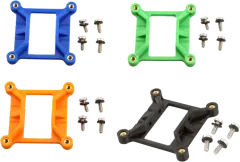
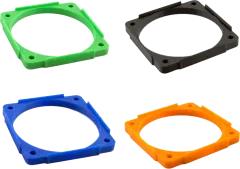
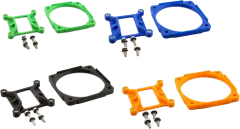
Cooler adapters for Bitaxe Gamma 601/602
7 parts
-
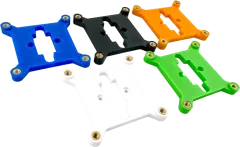 Best sellerBitaxe 52Pi ICE Tower Heatsink Adapter$9.99
-
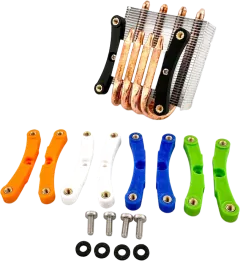 $9.49
-
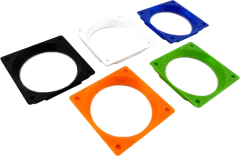 $9.99
-
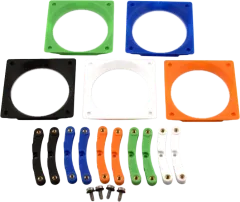 $15.99
-
 $9.99
-
 $9.99
-
 $15.99
Fitting a new fan
- Direction: fit it blowing the same way as the old fan. Most fans have arrows on the frame for airflow and rotation (bitaxe.de). D-Central, a seller, recommends pushing air down into the heatsink fins rather than pulling it out.
- Paste: a fan-only swap doesn’t need new thermal paste, because the heatsink stays on the chip (bitaxe.de). Re-paste only if the heatsink moved or lifted. Our cooling guide covers how.
- Cable: route it so it can’t reach the blades.
- Hum: a hard desk can pass the fan’s vibration on as a hum. bitaxe.de suggests a stand plus a soft pad such as felt or foam rubber.
Two fans, splitters and the second socket
The Gamma has one fan controller with a single PWM output, and both sockets are wired to it. So a second fan, on the other socket or a splitter, runs at the same speed as the first. Only one speed reading can come back, which is why splitters such as Noctua’s leave the tach wire off the extra lead. Christan Workshop ran a Noctua plus a spare fan this way to cool the back of the board. We found no published limit for how much current the 5V fan line can supply, so stick to low-power fans like the ones above.
AxeOS fan settings
These are the defaults in ESP-Miner v2.15.4, the firmware Bitaxe boards run:
| Setting | Default | Range |
|---|---|---|
| Auto fan | On | On / off |
| Target temperature (auto) | 60°C | 35–66°C |
| Minimum fan speed (auto) | 25% | 0–99% |
| Manual fan speed | 100% | 0–100%; warns “Danger: Could Cause Overheating” below 33% |
- Auto fan watches the chip only. It speeds up for the ASIC temperature, not the voltage regulator (VR). A quiet setup can let the VR climb while the fan stays relaxed, so check the VR reading after any fan change.
- When mining pauses or there’s no pool connection, the fan drops to 30%.
- On overheat (ASIC above 75°C or VR above 105°C), the firmware sets the fan to 100% and turns auto fan off. Our temperature guide explains how to recover.
- For less noise, bitaxe.de suggests a target of 62–65°C, and lowering the minimum fan speed only in small steps while checking the VR, “because the control loop only looks at the chip.”
Mistakes to avoid
- A 12V fan on the Bitaxe. It spins slowly and the board overheats.
- A Noctua with the right name but the wrong version: 12V, or 3-pin without PWM.
- Testing a 5V fan on a PC’s 12V header, which damages it.
- Ordering a standard 4-pin fan for a board that only has the small JST socket fitted.
- A manual fan speed below 33%, or a minimum fan speed lowered all at once.
- Trusting auto fan to look after the VR. It only follows the chip.
Sources
- Official: Bitaxe Gamma readme and design files, ESP-Miner firmware v2.15.4.
- Manufacturer: Noctua NF-A4x10 5V PWM and NF-A4x20 5V PWM datasheets.
- Independent tests: draeger-it (affiliate links), Christan Workshop.
- Sellers’ guides: bitaxe.de quiet guide, Solo Satoshi overclocking guide, D-Central cooling guide.
Questions?
Send us your miner and the fan you’re looking at, and we’ll reply, usually within one business day.